Back
All Chess67 features

Chapter 04 of 04 · Player or Parent

Find clubs, tournaments, and lessons.

Find nearby chess, register yourself or your children, and keep your events and lessons on one schedule.

Find chess, sign up the family, and check your schedule.

01

Discover nearby chess

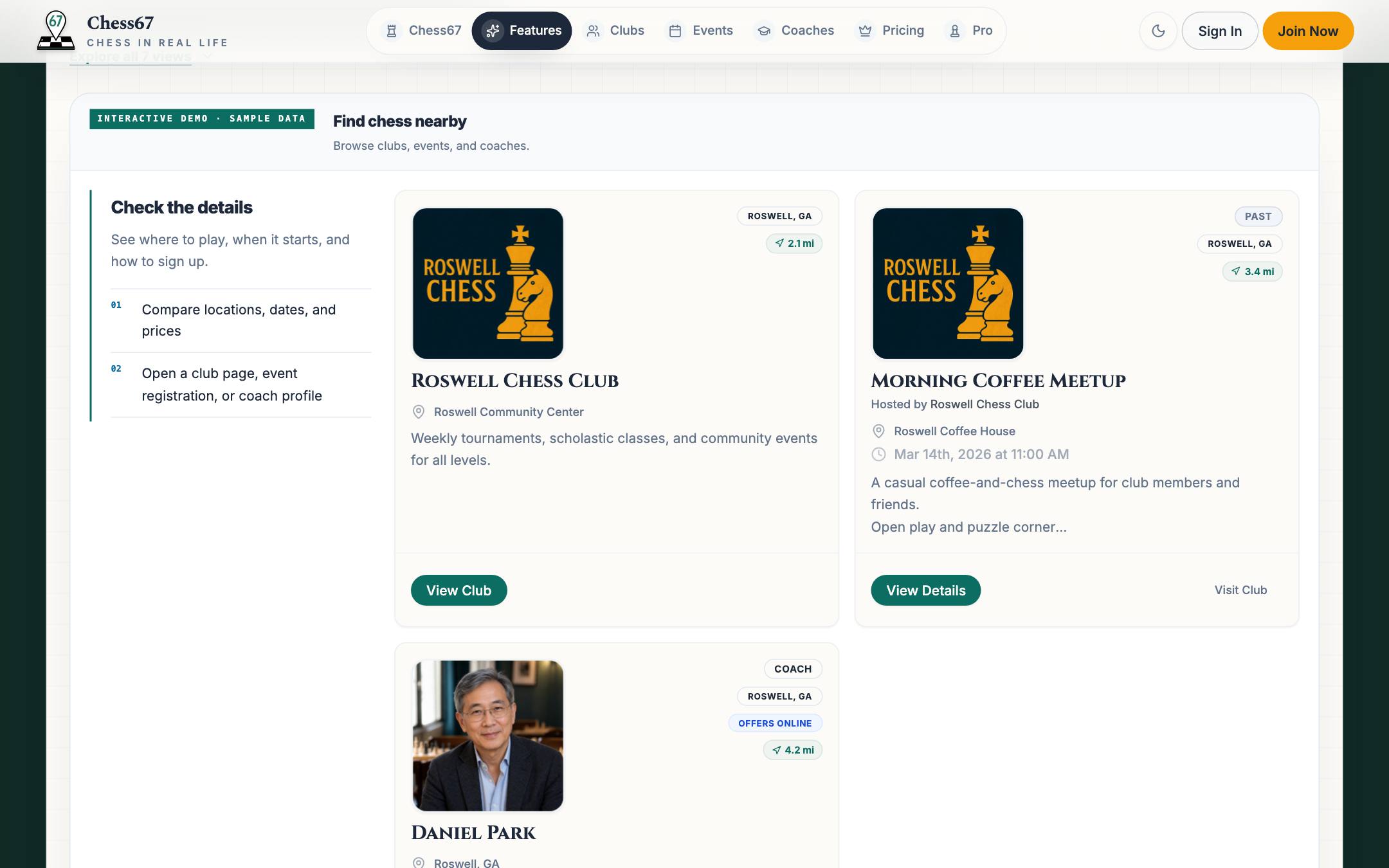
Search for clubs, events, tournaments, and coaches by location, then check their details before making plans.
Chess67 · Discover nearby chess
Discovery feed with a nearby club, event, and coach and their distances
02

Sign up yourself or the family

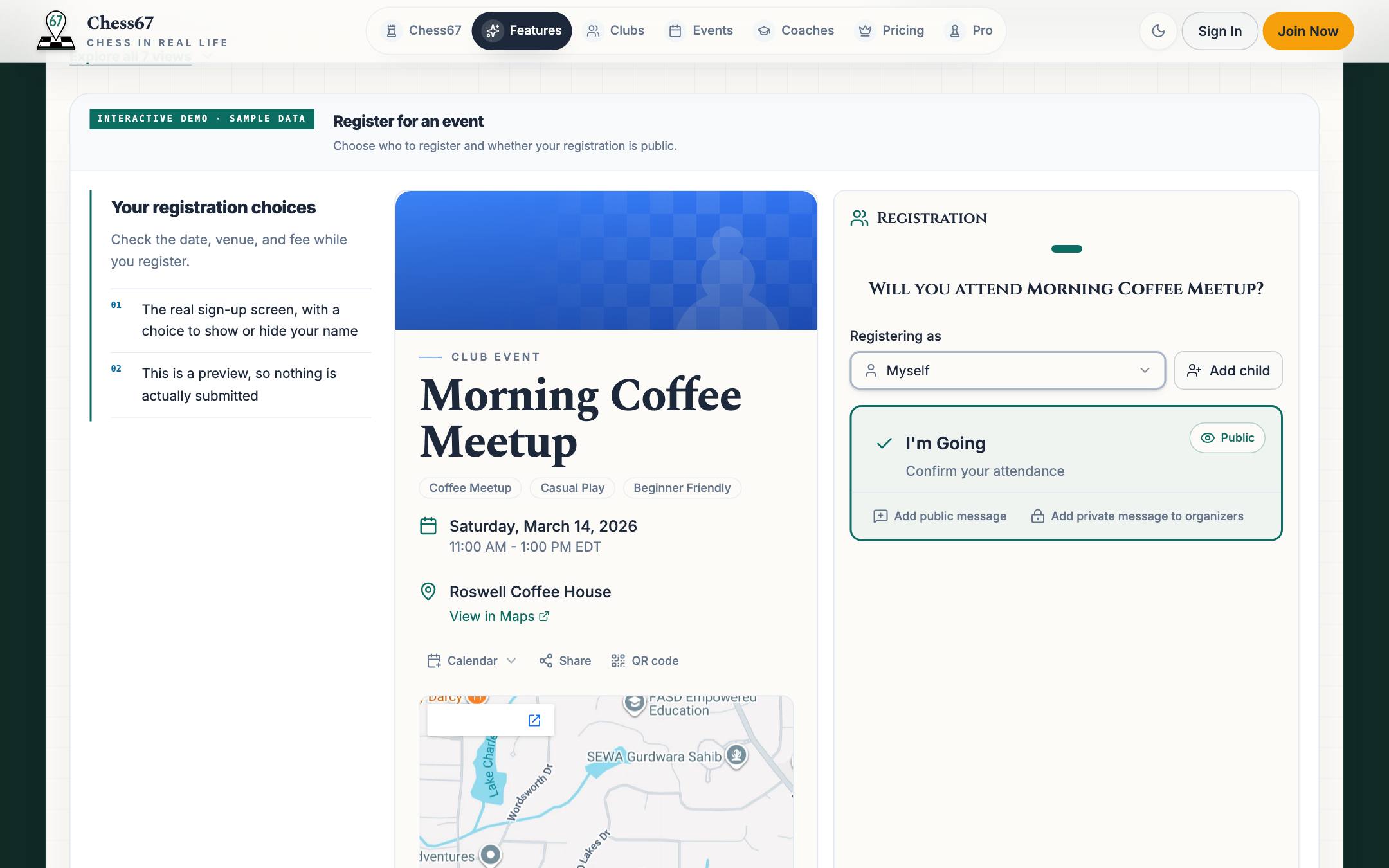
Register yourself or your children from one account. For events that require it, Chess67 checks the player's US Chess membership.
Chess67 · Sign up yourself or the family
Event page with registration for yourself or family members
03

Keep it all on one calendar

See your registered club nights, tournaments, and lessons on one schedule. Open tournament pairings and standings from your phone.
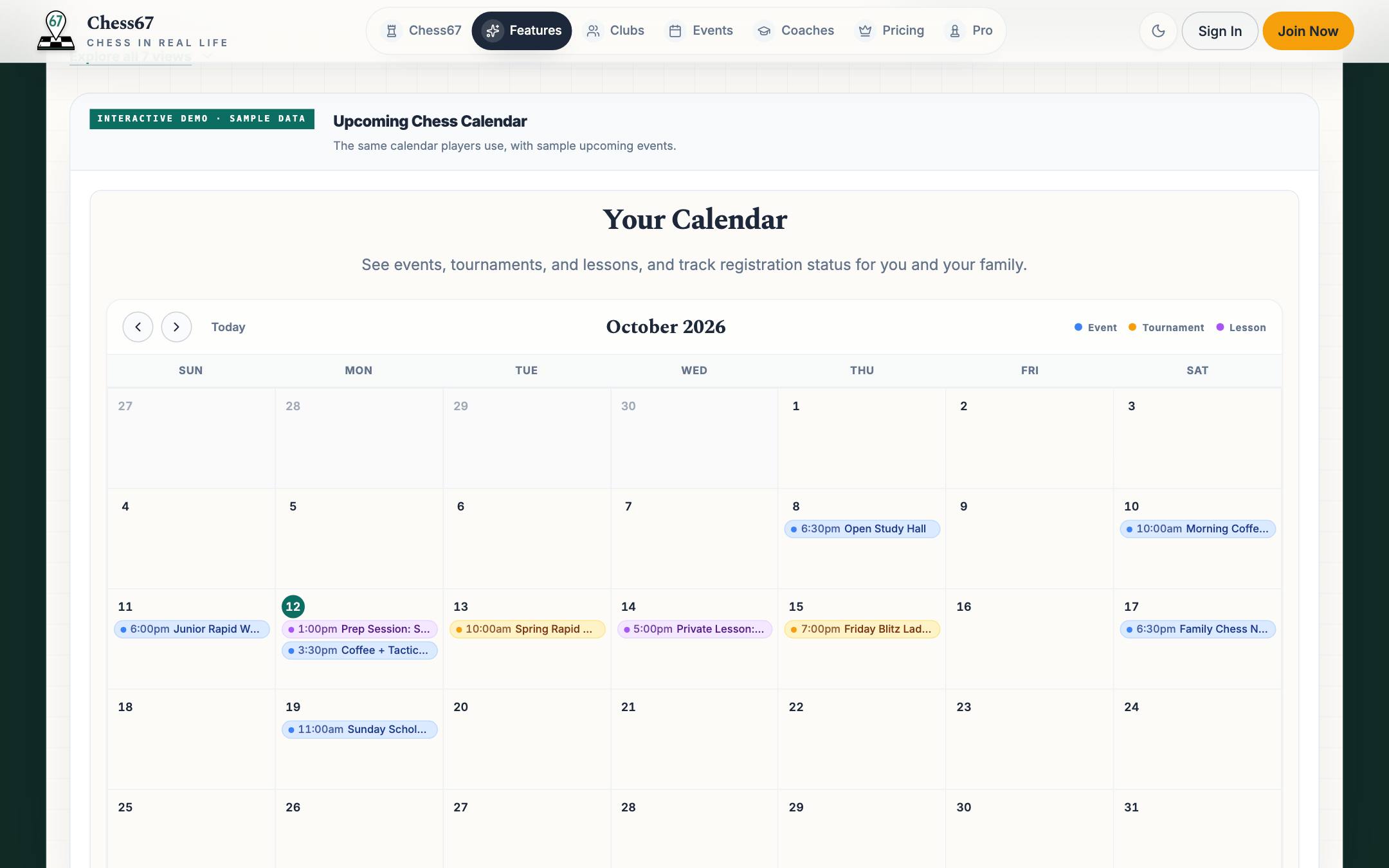
Chess67 · Keep it all on one calendar
Personal chess calendar with events, tournaments, and lessons
04

Study what you played

Scan a paper scoresheet, review the moves, and download a game file for analysis. Practice tactics with Jackhammer or prepare for a known opponent.
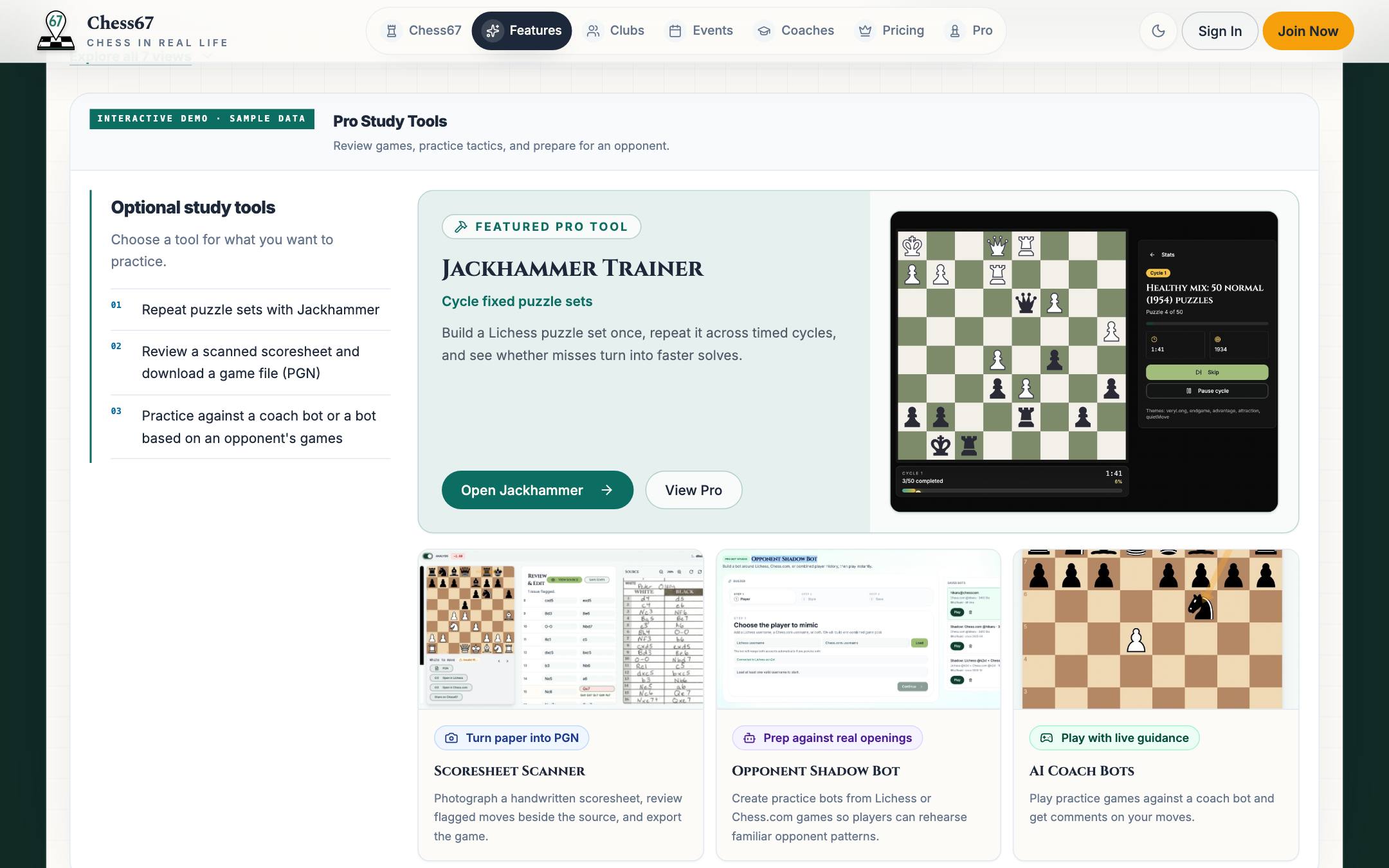
Chess67 · Study what you played
Pro study tools: Jackhammer trainer, scoresheet scanner, shadow bot, and AI coach bots
05

Get your ratings by email each month

When US Chess publishes the monthly supplement, we email regular, quick, and blitz ratings, national and state rank, and a 12-month chart for you and anyone on your account, plus up to ten players you follow.

See the full sample email
Renewals

About two weeks before a US Chess membership on your account expires, we email a renewal link with the ID already filled in, and once more if it lapses. The monthly update and the reminders each have their own off switch.
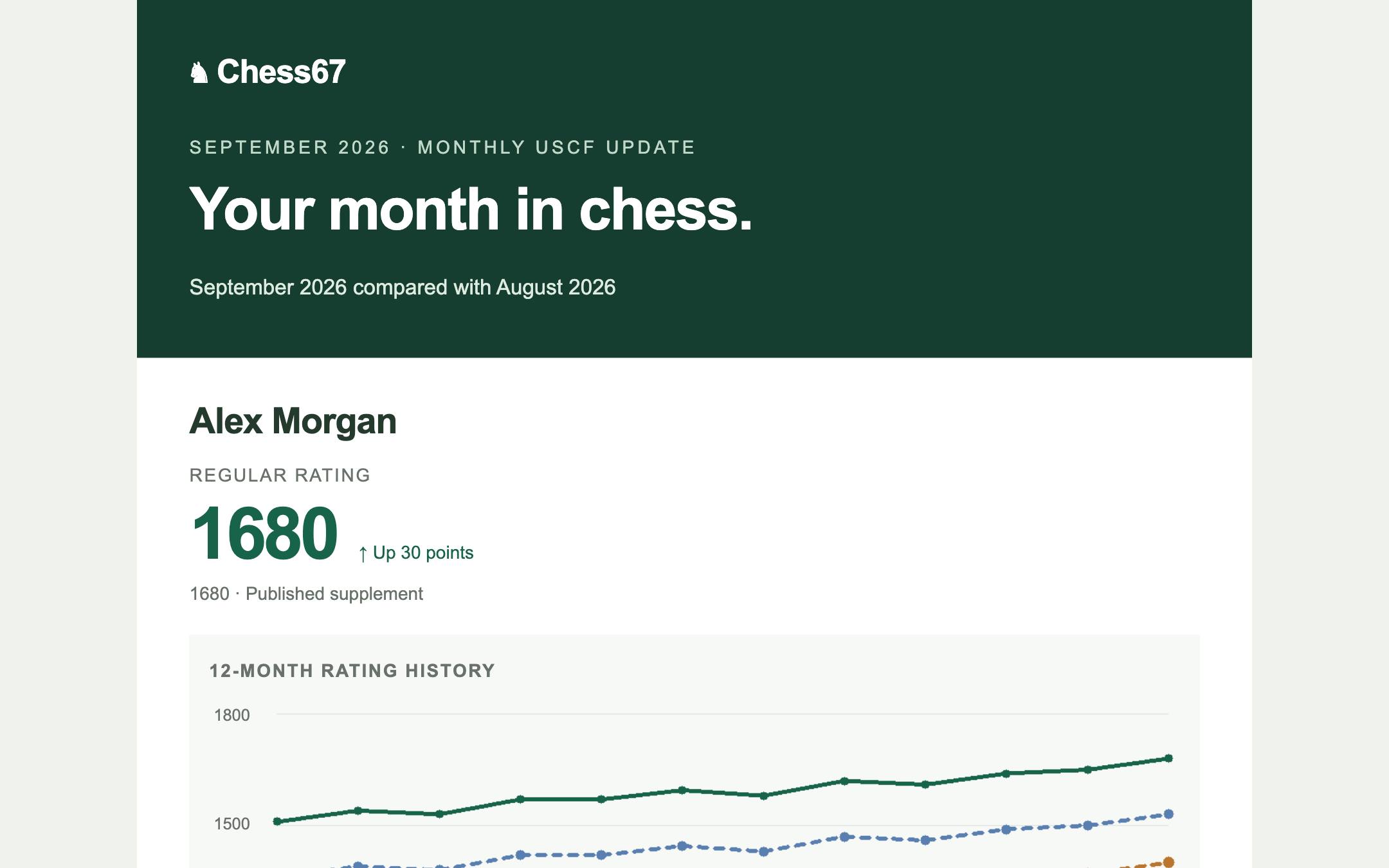
Chess67 · Get your ratings by email each month
Monthly USCF update email showing a regular rating of 1680, up 30 points, above a 12-month rating history chart
Real product · Guided view

Try it yourself

Try discovery and family registration

Try registration with sample data, then explore discovery, calendars, and study tools.
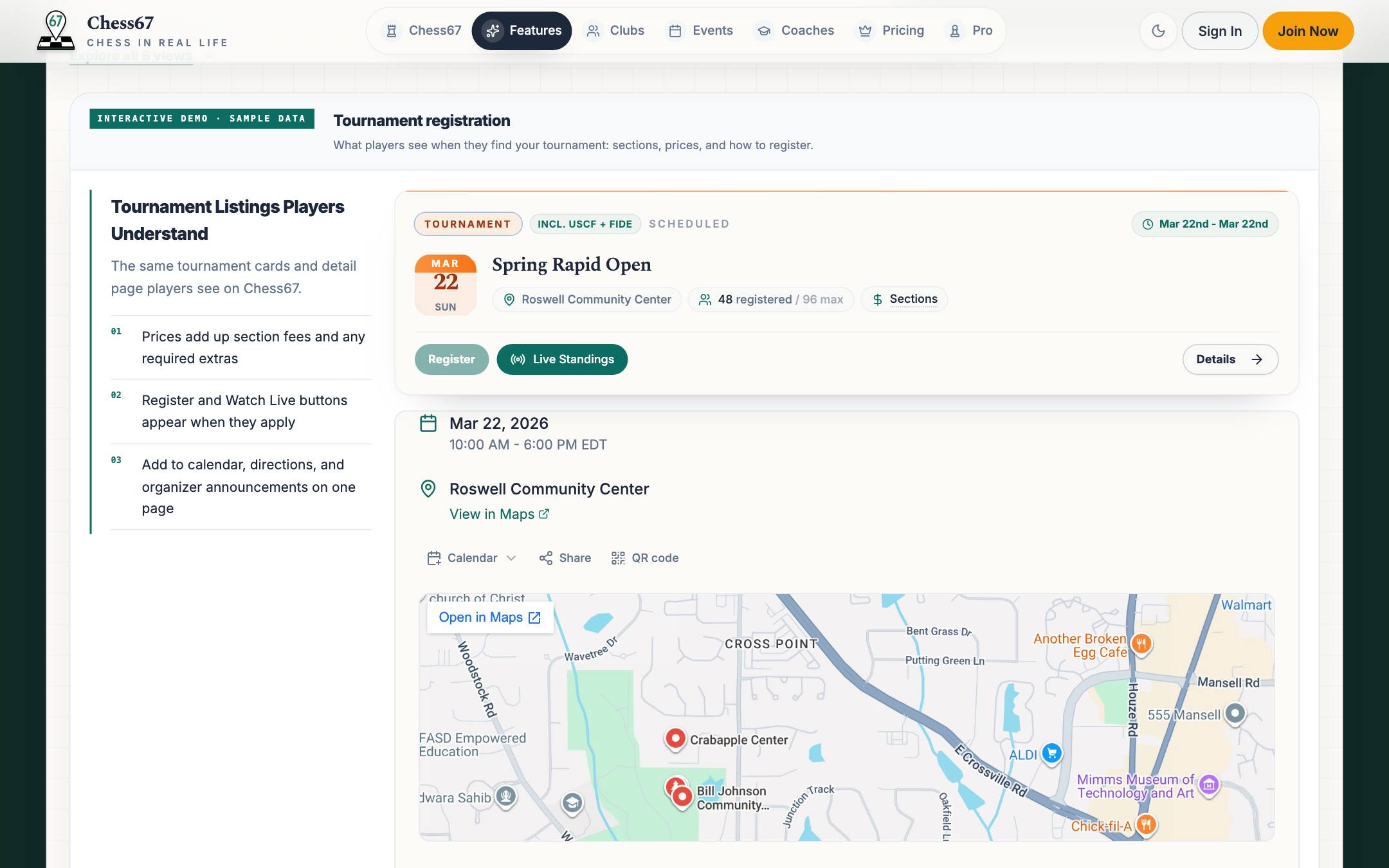
Tournament registration with section choice and USCF membership check

Explore another chapter

Membership cards & check-in

Your club card, ready at the door.

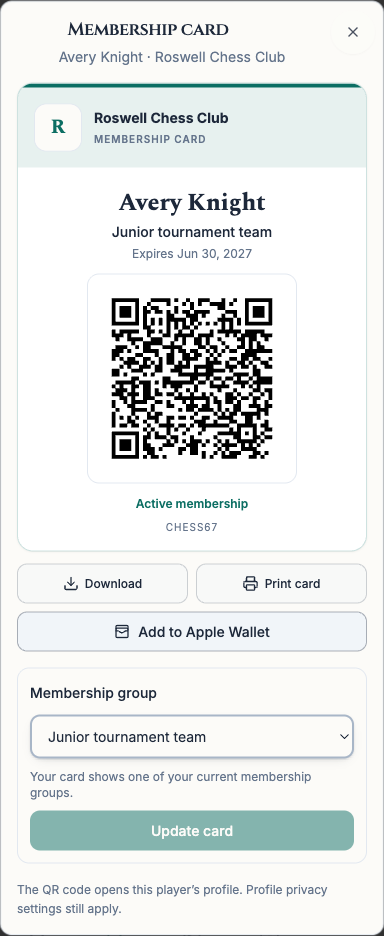
Choose a current membership group for your card. Keep it on your phone, add it to Apple Wallet on iPhone, or print a copy.

Open My Clubs and choose Membership card beside your club. Parents can also create cards for the child profiles they manage. Each person has one card per club.

Open My Clubs
Chess67 membership card with a club group, QR code, and Add to Apple Wallet button
A membership card with sample member details.

Scan, review, then check in.

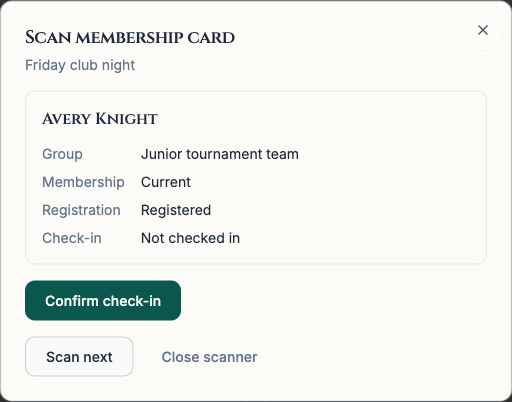
Organizers can scan membership cards in event or tournament check-in. Review the member and their registration, then confirm check-in. An internet connection is required.

Registered players also get a separate pass for each event or tournament. Parents can open a pass for each child. Add it to Apple Wallet on iPhone, then show its QR code at check-in.

Organizer reviewing a member's group and registration before confirming check-in
Scanning the same QR code with a regular phone camera opens the player's profile. Their profile privacy settings still apply.

Your next step

Find your next chess event.

Find clubs, events, and coaches near you, then keep the whole family's chess on one calendar.