Chess tournament software for pairings, brackets, and live results
Take registrations and entry fees, pair rounds, enter results, and publish standings from your browser.
Swiss, round robin, quads, and elimination formats
Separate sections and player check-in
US Chess and FIDE report drafts to review before submission
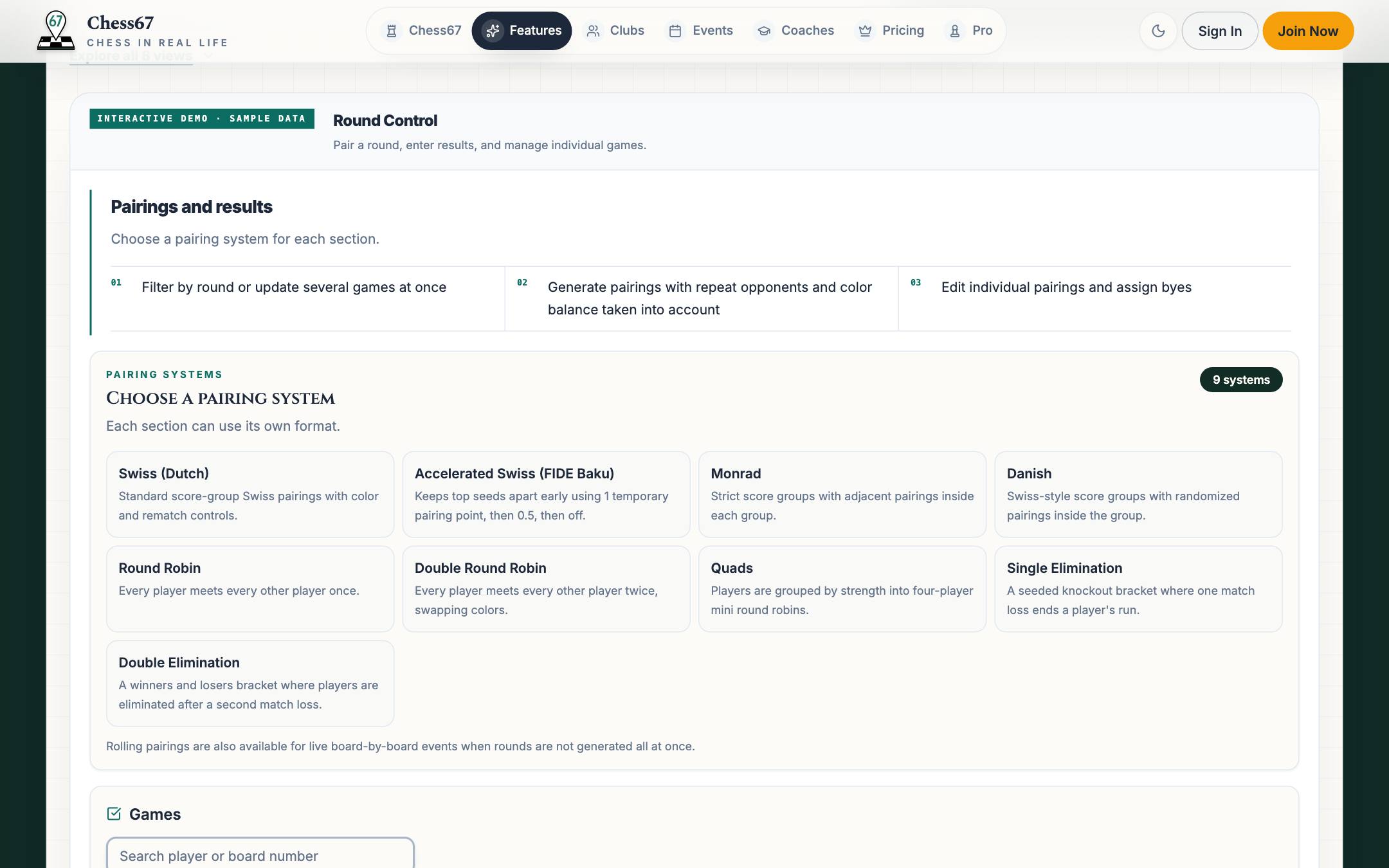
What running a tournament on Chess67 looks like
Many clubs have successfully submitted USCF rating reports using Chess67’s USCF export feature. See tournament setup, pairings, player management, and report exports below.
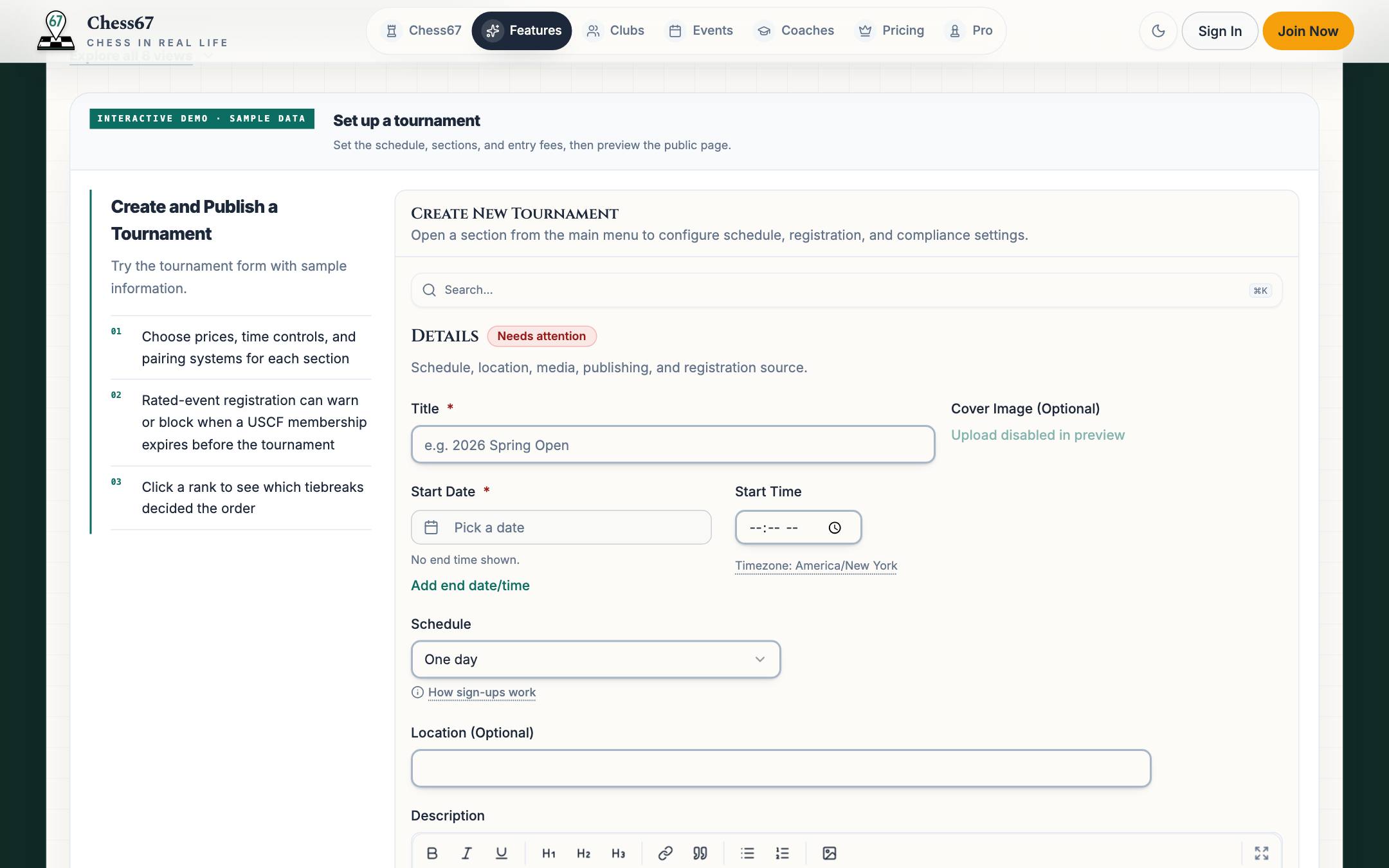
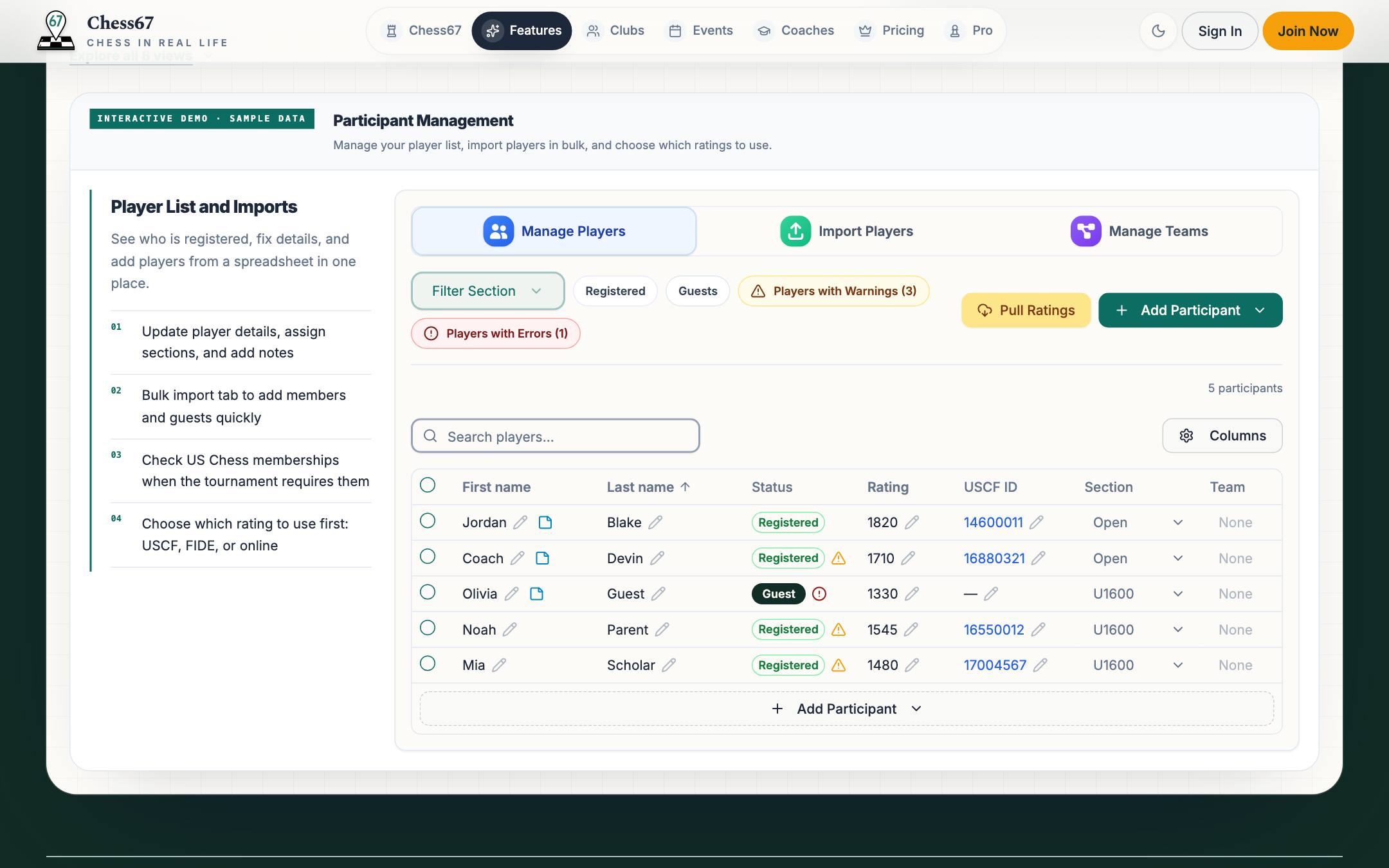
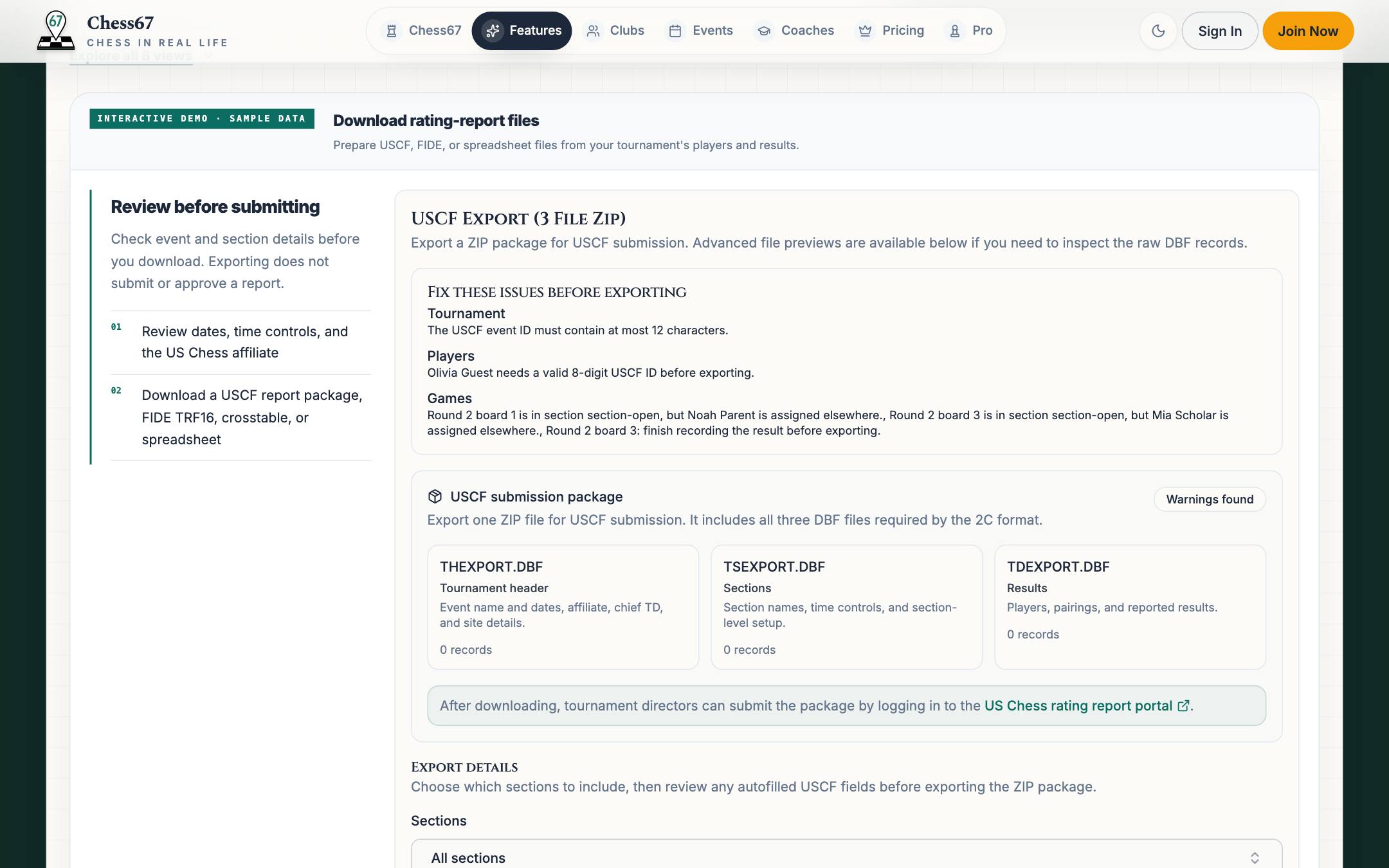
From your first entry to the final report
- 1
Bring the roster you already have
Collect entries on Chess67 or import a CSV or SwissSys SJSON roster. Review names, IDs, ratings, sections, and team labels before saving. Past pairings and results are not imported.
- 2
Check attendance, then pair
Review check-in, byes, and withdrawals for each section. Preview the pairings and any warnings before confirming them. Enter results and check the standings before the next round.
- 3
Review and submit your reports
Check player IDs and missing results, then download the rating report drafts. Review the files and submit them through the federation’s process; downloading a report does not submit it.
Share pairings and tournament updates
Share the live tournament link or a QR code so players can check pairings and standings on their phones. Print sheets for the playing hall, and replace them if pairings change.
- Pairing messages can include each player’s board, color, and opponent.
- Players with Chess67 accounts can read messages in their inbox.
- Phone alerts depend on the delivery method and the player’s settings.
Push alerts require the Chess67 app and enabled notifications. Text messages require an eligible mobile number and available sending allowance. Guest entries may not have a Chess67 inbox.
9:41
Pairings Update
You are playing White against Jordan Lee on board 4.
Campbell Chess Club Community

Campbell Chess Club replaced printed tournament updates with a QR code.
Josh · Campbell Chess Club Community Organizer
The C4 x SMC tournament had 20 attendees. Players and parents could check pairings, standings, and when to return for the next round on their phones.
Read Campbell’s tournament storyTour the tournament director workspace right here
Explore the tabs using sample data.
This demo does not save changes or take payments.
Check the features you need
Compare registration, payment fees, and tournament tools.
Compare pairing formats, reports, and online access.
Compare pairing tools, reports, and staff access.
Compare online pairings, registration, and club tools.
Compare pairing formats and rating reports.
Compare online tournament and registration tools.
Frequently asked questions
Which tournament formats are supported?
Swiss, accelerated Swiss, Monrad, Danish, round robin, double round robin, quads, single elimination, and double elimination. Choose the format for each section.
Are the rating reports approved by US Chess or FIDE?
Many clubs run USCF-rated tournaments with Chess67 and have successfully submitted their rating reports using the USCF export feature. Directors review the exported files and submit them through US Chess. Chess67 also prepares FIDE report drafts for review and is not certified or endorsed by FIDE.
Can I run a tournament without internet?
Offline tournament mode is a beta feature on Bishop and higher club plans. Prepare the tournament online on one device first. You can pair rounds and enter results offline, then review and sync when connected. Registration, payments, messages, and other online features still need internet.
Can I bring a roster from another tool?
Yes. Import a CSV roster or SwissSys SJSON file and review the player details before saving. Existing pairings and results are not imported.
Create your next tournament
Set up the event and explore the director tools before opening registration.