Tools for clubs, state associations, and tournaments
Manage your club.Run tournaments.
Manage members, collect dues, run tournaments, book lessons, and share events across clubs.
Shared calendars and websites for state associations
Start with your role
Choose the job you need help with.
Pick your role and we'll show you the parts you'll actually use.
- 01
Manage the club
Club Organizer
A public club page, members and dues, events, and club ratings.
- 02
Direct tournaments
Tournament Director
Registration, nine pairing systems, live standings, and USCF or FIDE reports.
- 03
Teach and book lessons
Coach
A public profile, lesson packages, booking, and a live lesson board.
- 04
Play and plan
Player or Parent
Find nearby chess, register yourself or your children, and see your plans on one calendar.
Got questions?
Book a WalkthroughFor state chess associations
A shared calendar for chess across your state.
Give players and organizers a central place to find tournaments, local clubs, and association news. Use Chess67 as your event clearinghouse and manage association memberships and dues with the same club tools.
Explore the calendar toolsShared calendars across clubs
Subscribe to other Chess67 clubs to include their events, tournaments, or both on your association's calendar.
Tournament clearinghouse
Add selected Chess67 events and tournaments to a shared schedule so organizers can compare dates and players can find registration details.
Association website and club directory
Create a central hub for association news and resources. Embed your shared calendar, event list, or subscribed club directory on your existing website.
An example club weekend
From tournament signup to the next lesson.
See how an organizer, director, parent, and coach use Chess67 over one week.
- TuesdayOrganizer
The organizer publishes the Spring Rapid Open.
Sections, prices, and USCF requirements go on the tournament page once.
Open it in the Organizer preview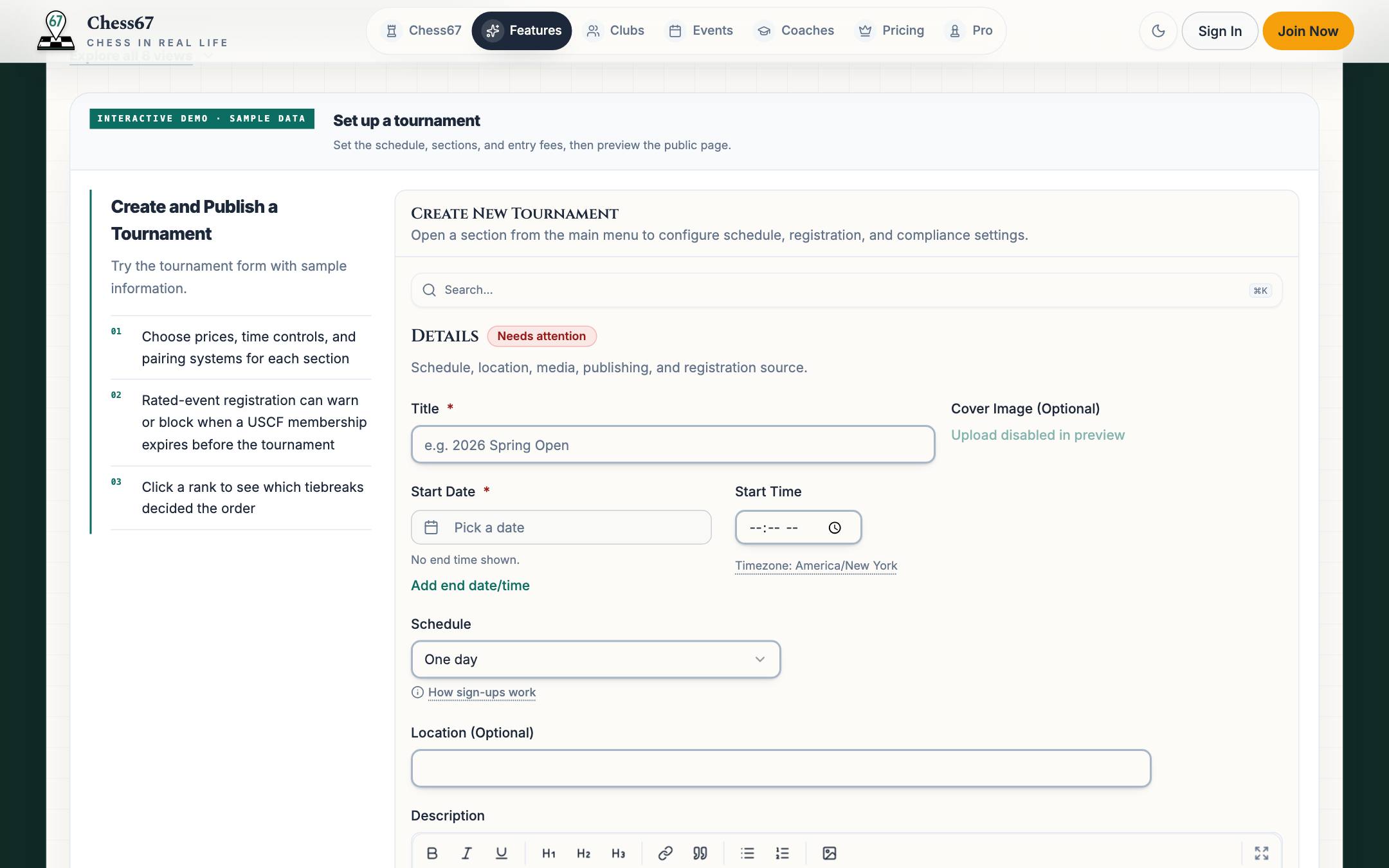
- WednesdayPlayer
A parent registers two kids from one account.
Choose each child's section and check their US Chess memberships if this tournament requires them.
Open it in the Player preview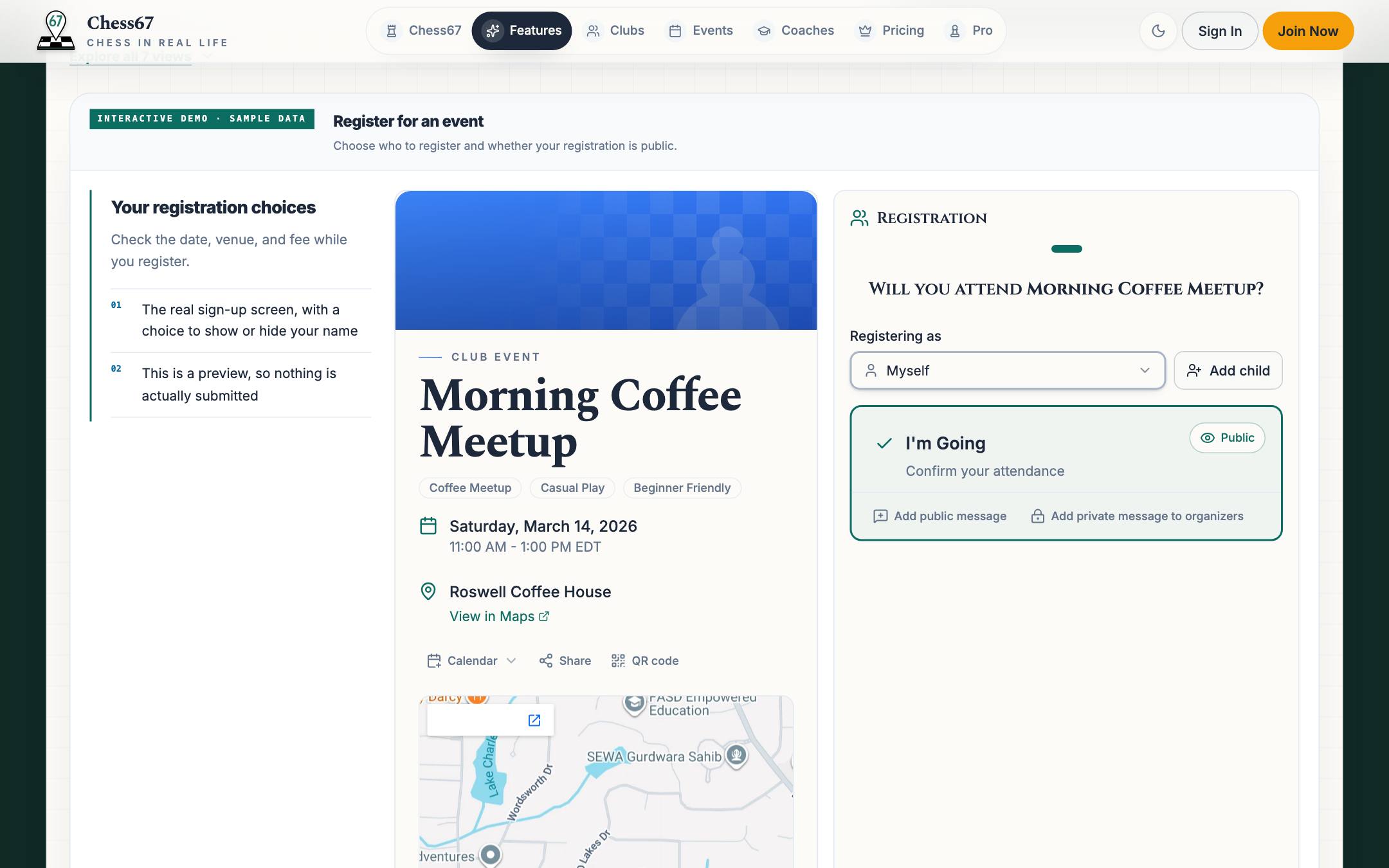
- Saturday morningTournament Director
The director pairs round one.
Publish the pairing sheet and send alerts. Players can check their board, color, and opponent online.
Open it in the Tournament Director preview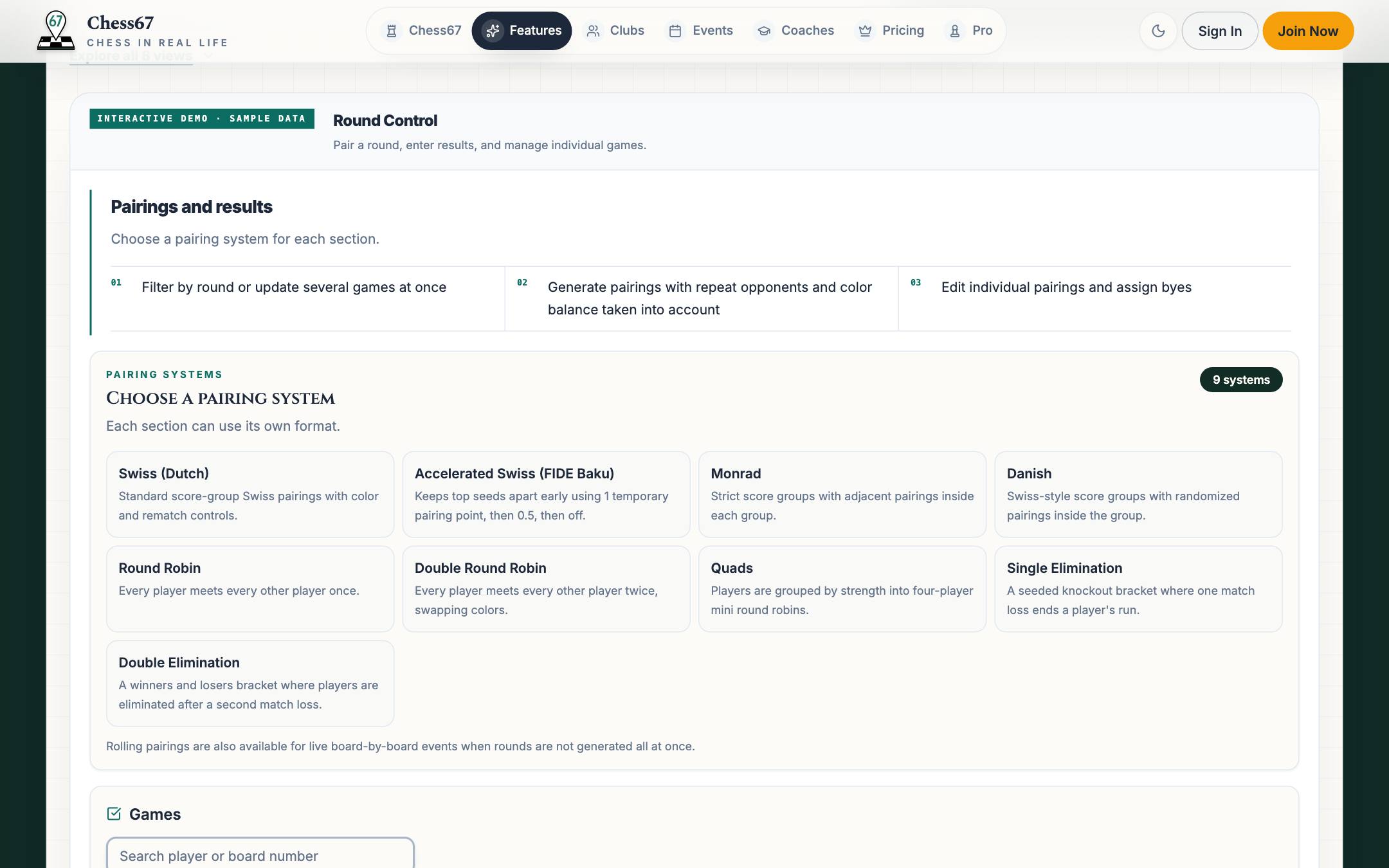
- Saturday afternoonTournament Director
The director reviews the results and report.
Check standings, review any reporting warnings, and download the USCF files for submission.
Open it in the Tournament Director preview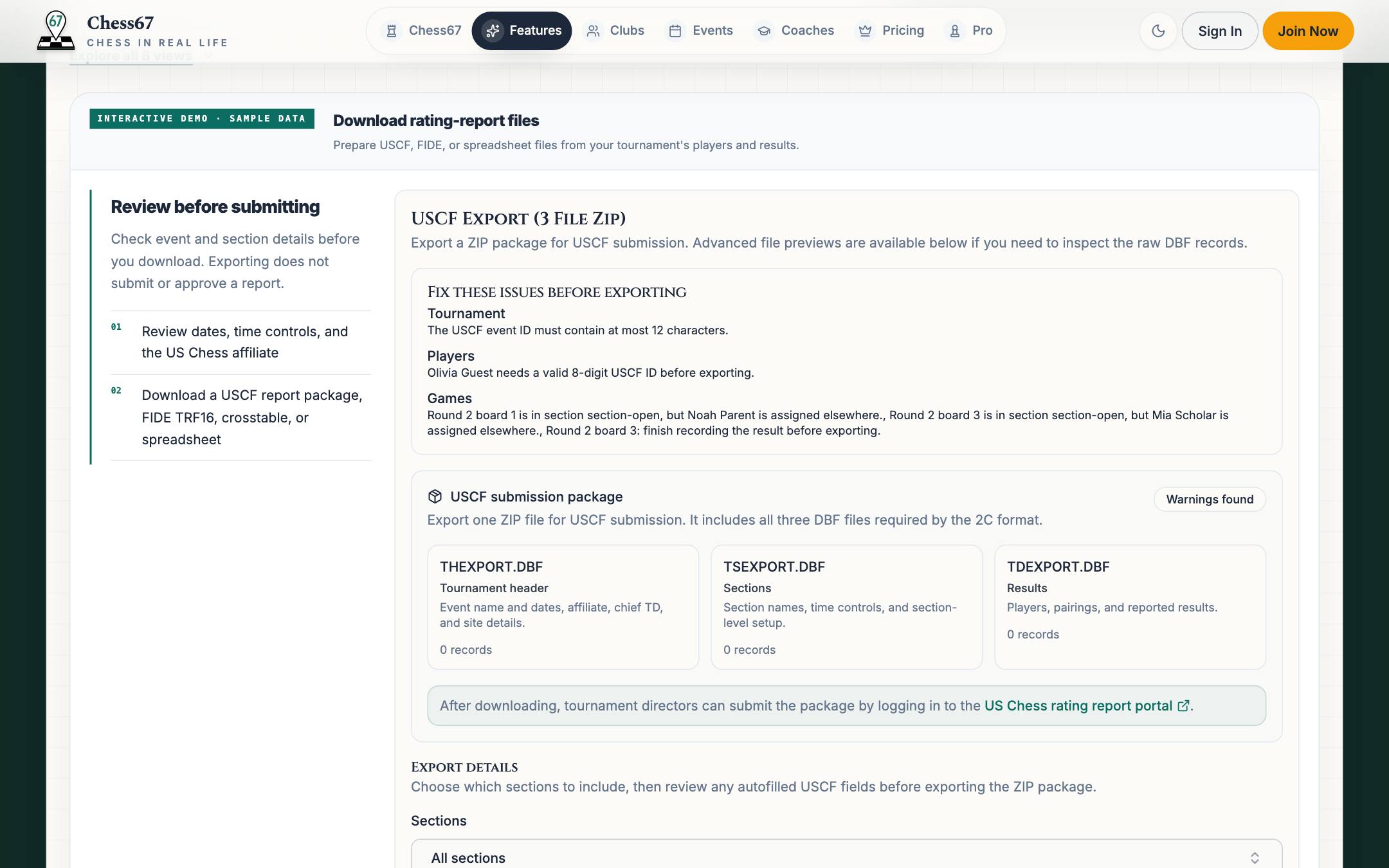
- SundayCoach
A coach turns a lost game into a lesson.
The student books an open slot from the coach's profile and they review the game on a live board.
Open it in the Coach preview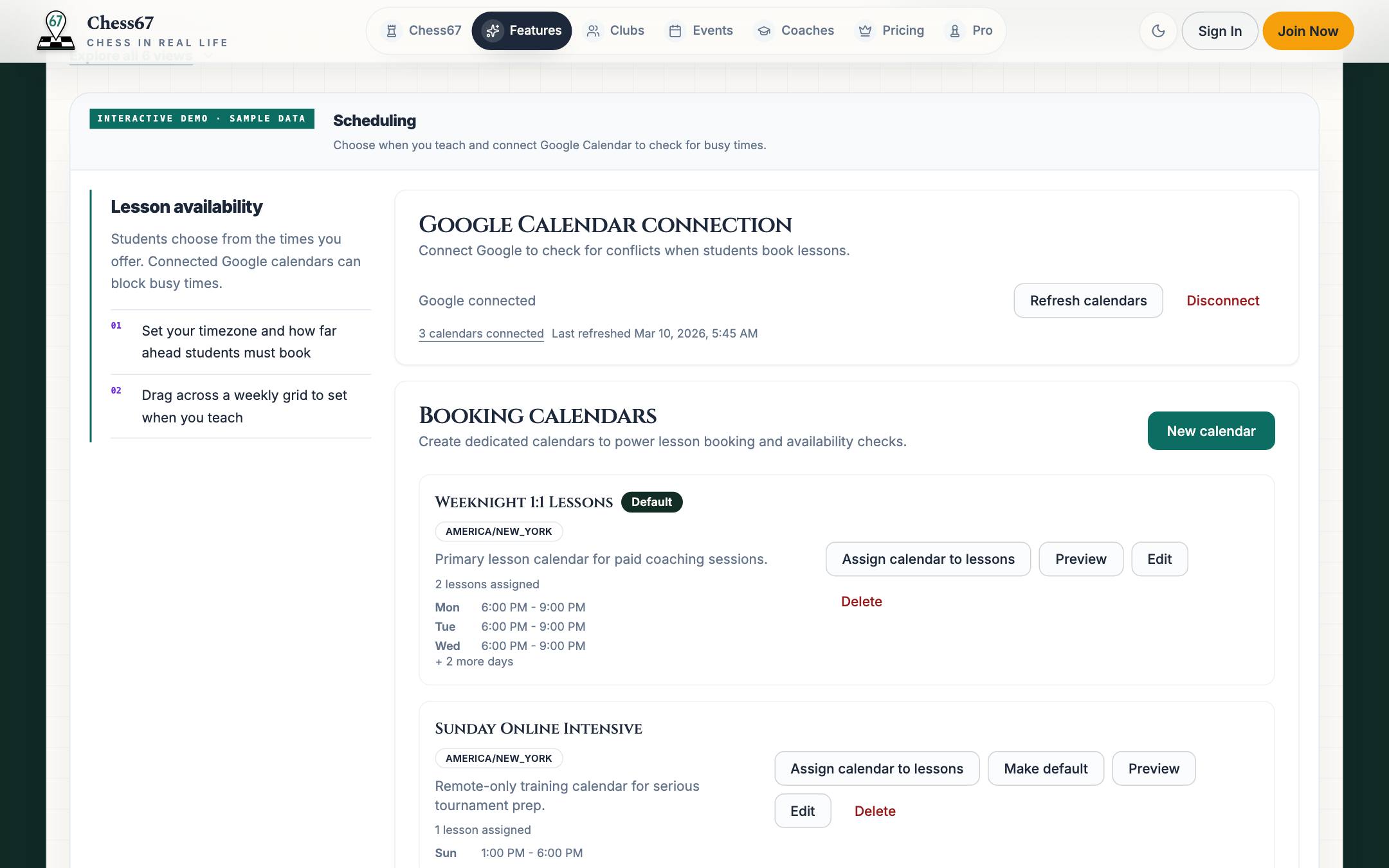
- MondayOrganizer
The organizer sees what to repeat.
Compare registrations with recorded attendance and see which players returned.
Open it in the Organizer preview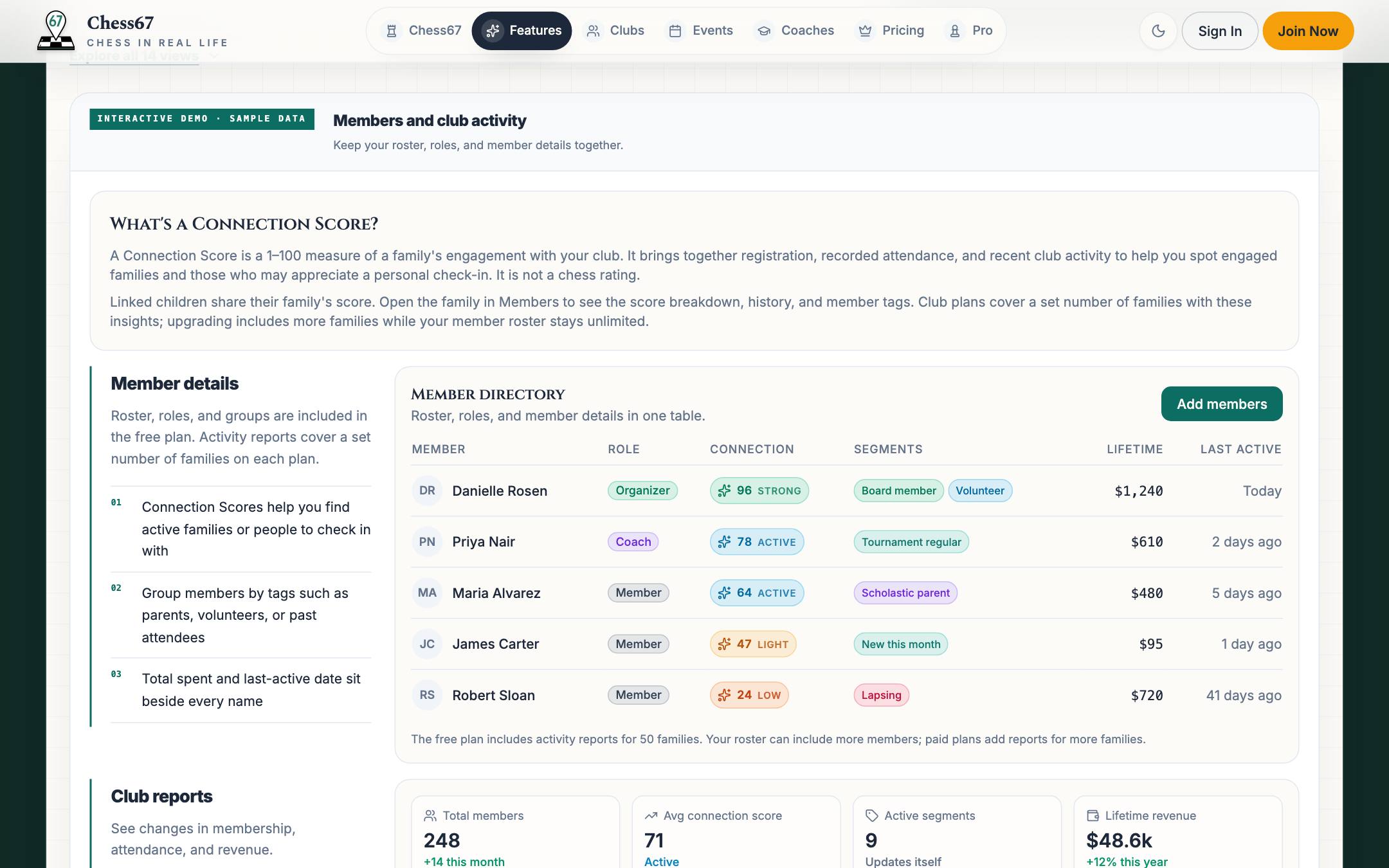
Membership cards & check-in
Your club card, ready at the door.
Choose a current membership group for your card. Keep it on your phone, add it to Apple Wallet on iPhone, or print a copy.
Open My Clubs and choose Membership card beside your club. Parents can also create cards for the child profiles they manage. Each person has one card per club.
Open My Clubs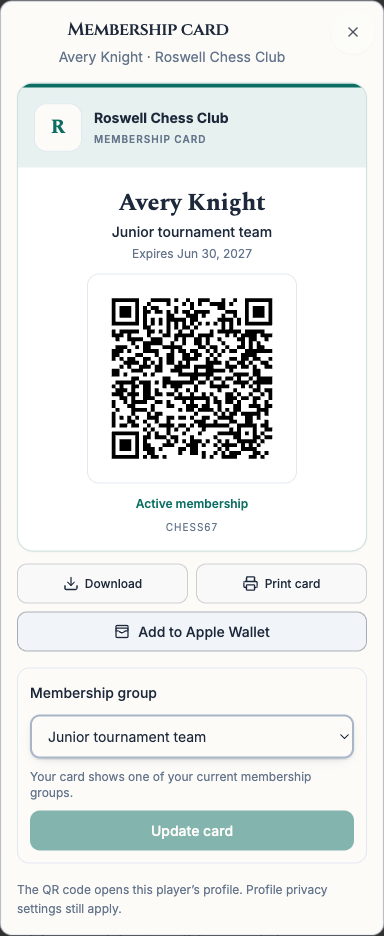
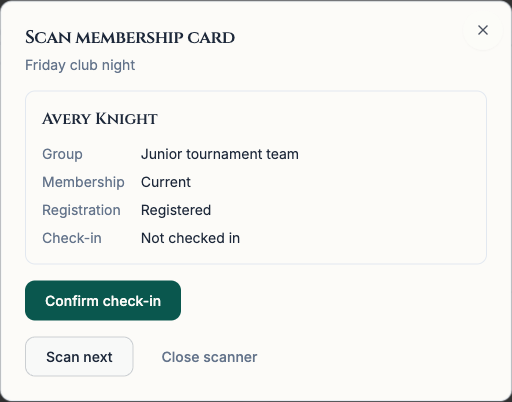
Scan, review, then check in.
Organizers can scan membership cards in event or tournament check-in. Review the member and their registration, then confirm check-in. An internet connection is required.
Registered players also get a separate pass for each event or tournament. Parents can open a pass for each child. Add it to Apple Wallet on iPhone, then show its QR code at check-in.
The full list
Every feature, by the job it does.
Search for the thing you do today, or filter by role.
52 features
Chess club management
Manage your public page, members, dues, and events.
- Public club pageA public page with membership, events, a calendar, posts, and a member directory.
- Custom page builderDrag-and-drop pages for programs, sponsors, or a tournament series.
- Club calendar and embedsShow your schedule on Chess67 and embed a calendar or event list on your website.
- Shared calendars across clubsSubscribe to other Chess67 clubs to include their events, tournaments, or both on your association's calendar.
- Tournament clearinghouseAdd selected Chess67 events and tournaments to a shared schedule so organizers can compare dates and players can find registration details.
- Association website and club directoryCreate a central hub for association news and resources. Embed your shared calendar, event list, or subscribed club directory on your existing website.
- Posts and announcementsPosts members see on the club page and in their inbox.
- Member surveysAsk up to 20 choice or written questions. Parents can answer for children. Organizers can filter responses and privately review written answers. Adult members can reply and react.
- Membership groups and duesCreate free groups or collect one-time dues with Stripe or PayPal. Use Stripe for monthly or yearly memberships.
- Membership cardsA club card with a chosen membership group, QR code, Apple Wallet on iPhone, and a printable copy.
- Members and activityManage roles and tags, import a roster, and see family activity reports within your plan's limits.
- Ladders and Grand PrixChallenge club members and connect tournament sections into a season-long points race.
- Individual payment requestsRequest a payment or add an adjustment to an existing registration.
- Club rating systemsYour own rating ladder for club games, with approvals and leaderboards.
- Emails and alertsSend club emails, free app notifications, and short alerts to members' phones. Email and text allowances, phone eligibility, and recipient preferences apply.
- Payments and discount codesStripe and PayPal checkout, discount codes, refunds, and reporting.
- Events with QR check-inPublish recurring club nights and classes, take registrations, and check attendees in with a QR code.
- Attendance and member analyticsRSVPs versus attendance, return rate, growth, and revenue trends.
- StorefrontSell merchandise, camps, and add-ons from the club's buy page.
Chess tournament software
Set up an event, run rounds, and prepare rating-report files.
- Multi-session schedulesRun weekly rounds or a multi-day tournament from one registration page.
- Registration timelinesCompare signup pace with past events, including after-start registrations.
- Online registrationSet sections, prices, and bye options. Check US Chess memberships when the event requires them.
- Participant managementRatings lookup, section and team assignment, batch import, and withdrawals.
- Membership card check-inScan a club card, review the registered player, and confirm check-in while online.
- Nine pairing systemsSwiss, accelerated Swiss, Monrad, Danish, round robin, double round robin, quads, single and double elimination.
- Round controlGenerate rounds, edit boards, manage byes, and enter results.
- Live standings and player alertsPublish standings as results are saved. Push requires the app and enabled notifications; SMS depends on phone eligibility and preferences.
- Player result kioskA shared tablet where players submit their own results.
- USCF and FIDE report filesUSCF three-file package, FIDE TRF16, crosstable, pairing sheets, and CSV for director review.
- USCF report checksReview player IDs, pairings, and byes before preparing a US Chess report.
- Offline ModeBetaPrepare one device online, then pair rounds and enter results offline. Review and sync when reconnected. Registration, payments, and public updates require internet. Bishop plan and above.
- Team and Grand Prix standingsTeam scores alongside individual standings, and season-long series points.
- Waitlists and registration capsSection capacity with automatic offers as spots open up.
Chess coaching software
Show what you teach, take bookings, and review games with students.
- Coach profile and credentialsShow your ratings, experience, prices, and reviews. Approved credentials receive verification badges.
- Lesson offers and packagesSingle lessons, packs, group classes, and products with clear pricing.
- Scheduling and Google CalendarWeekly availability, conflict checks, and booking with payment in one step.
- Live lesson boardShared board with video, arrows, and imported PGN games.
- Student reviewsStudents can review completed lessons. Reviews become public as soon as they are submitted.
- Student roster and notesStudents, families, lesson history, and materials in one place.
For players and families
Find places to play, register yourself or your children, and plan your schedule.
- Discover clubs, events, and coachesSearch by location. Filter events by date, time control, and scholastic options; filter coaches by rating, language, and verified credentials.
- Tournament day on mobilePairing details, supported iOS Live Activities, and the in-app chess clock.
- US Chess player insightsPublished rating history, peer comparisons, and real USCF player pages.
- Monthly rating emailRegular, quick, and blitz ratings, national and state rank, and a 12-month chart for you and anyone on your account.
- US Chess renewal remindersAn email about two weeks before a membership expires, and one follow-up if it lapses.
- Profiles and followingRatings from FIDE, USCF, Chess.com, and Lichess, plus public registrations to follow.
- Family registrationRegister yourself or your children from one account and one checkout.
- Club cards and Apple WalletOpen My Clubs to create a card for yourself or a child you manage, then keep it on your phone or print it.
- Personal chess calendarView your registered events, tournaments, and lessons together, including child profiles.
- Scoresheet scannerScan a scoresheet photo, review the recognized moves, and download a game file for analysis. Usage limits apply.
- Jackhammer puzzle trainerWoodpecker-style repetition on the tactics you keep missing.
- Opponent prep and coach botsPrepare for a known opponent and play against a bot modeled on a coach.
- iOS and Android appsPairings, standings, and reminders on your phone.
Club administration
Your roster, registrations, and payments together.
Your club page and admin tools use the same members and events, with registration and payment status together.
Compare features, fees, and limitations, with links to sources.
Questions
The short answers.
- Can a state chess association use Chess67?
- Yes. Use the club tools for your association's members, dues, news, and resources. Build a shared calendar by subscribing to other Chess67 clubs or adding selected events and tournaments. Embed that calendar, an event list, or a directory of subscribed clubs on your existing website. Organizers can compare dates on the shared schedule when planning events.
- What does Chess67 cost?
- Core club and tournament tools have no subscription fee. Chess67's standard fee is 2% on sales through its checkout, plus payment processing. Optional plans cost extra. Paid plans raise email, text, and family-report limits and add tools such as Offline Mode. App notifications are free on every plan.
- Which pairing systems does Chess67 support?
- Swiss (Dutch), accelerated Swiss (FIDE Baku), Monrad, Danish, round robin, double round robin, quads, single elimination, and double elimination. Each section can use a different system.
- Can I prepare USCF and FIDE rating reports?
- Download USCF rating-report files, FIDE TRF16, crosstables, pairing sheets, or a spreadsheet. Review the USCF report checks and submit files through US Chess or FIDE. Exporting does not submit or approve a report.
- Do players need an account to register?
- Sign in to a free Chess67 account to register yourself or your children. Directors can also add participants, and team registration can include players who have not signed in themselves.
- Does it work without internet at the venue?
- Offline Mode (beta), included with Bishop and above, lets a director pair rounds and enter results on one device prepared while online. Review and sync changes when reconnected. Registration, check-in, payments, rating lookups, and public updates still require internet.
- Can I keep using my club website?
- Yes. Embed the Chess67 calendar or event list on your existing site, or use the page builder to publish pages on Chess67.
- How do I get my club membership card?
- Sign in and open My Clubs. Choose Membership card beside your club, then choose one of your current membership groups. You can also make cards for child profiles you manage. Open the card on your phone, add it to Apple Wallet on iPhone, or print a copy. Organizers can scan the QR code and confirm event or tournament check-in while online.
- Is there a mobile app?
- Chess67 runs on the web and as iOS and Android apps. Pairings, standings, reminders, check-in, and club alerts all work from a phone.
Start simply
Start with your next chess event.
Create a free account to set up a club, tournament, or lesson.