Chapter 02 of 04 · Tournament Director
Take entries, pair rounds, and publish results.
Open registration, run the rounds, and finish the report in one place.
From registration to rating-report files.
Publish the tournament
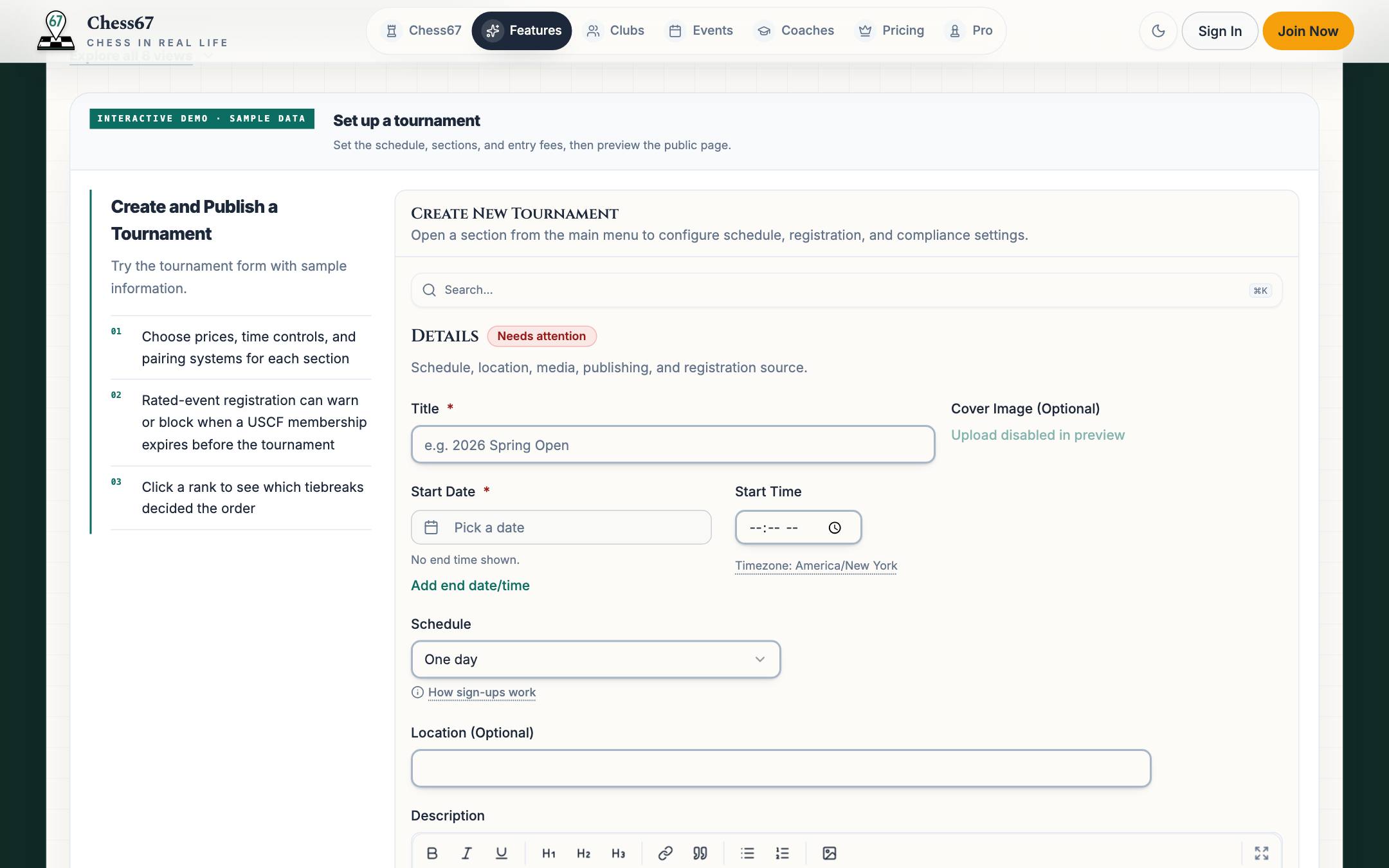
Set the schedule, sections, entry fees, and USCF or FIDE requirements. Players see these details when they register.
Watch how it works
Configure tournament details, sections, time control, Swiss pairings, rounds, byes, and registration.
Prepare the field
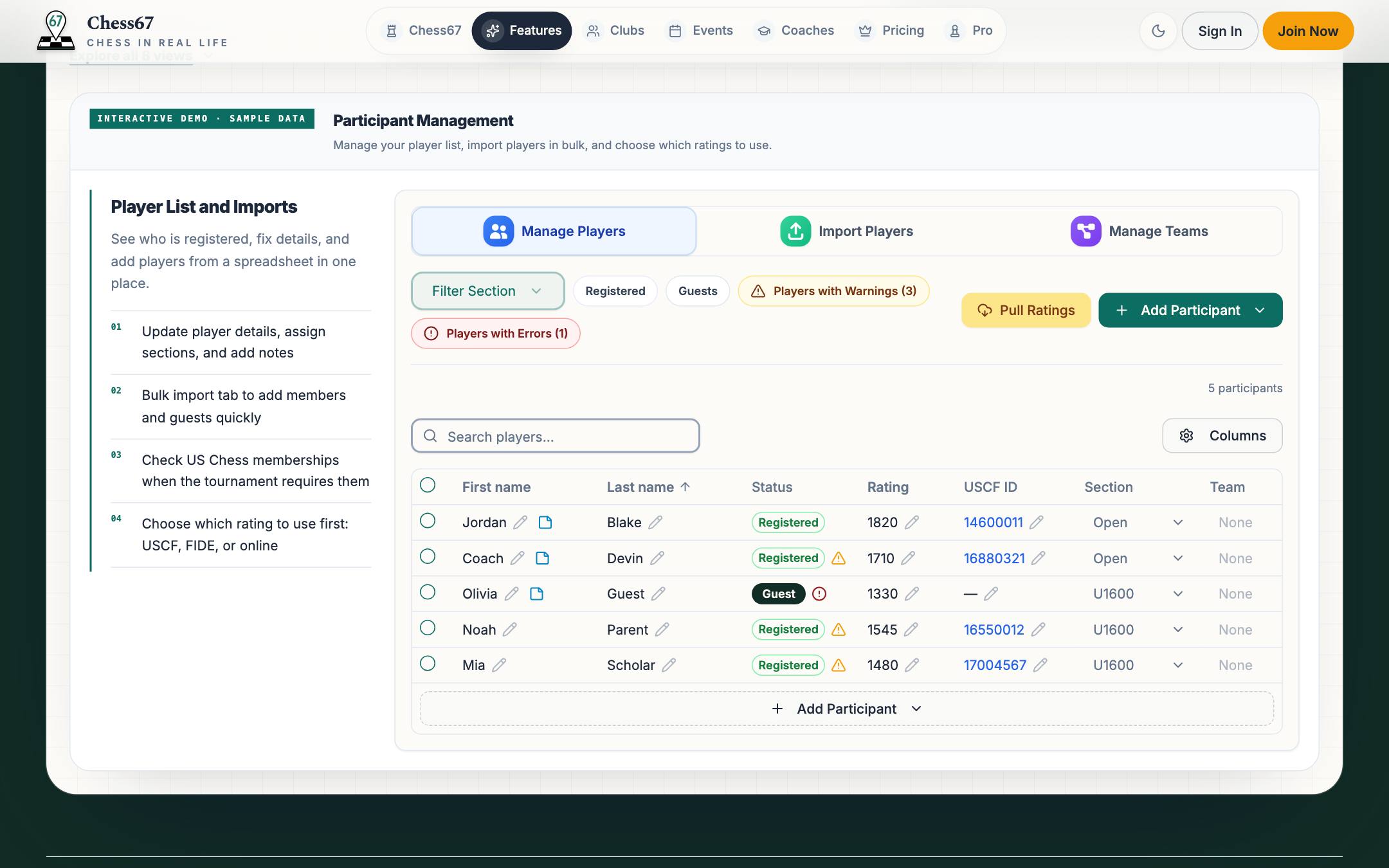
Review registrations, look up ratings, assign sections and teams, and check US Chess memberships when required.
Score-based fields
Swiss-style
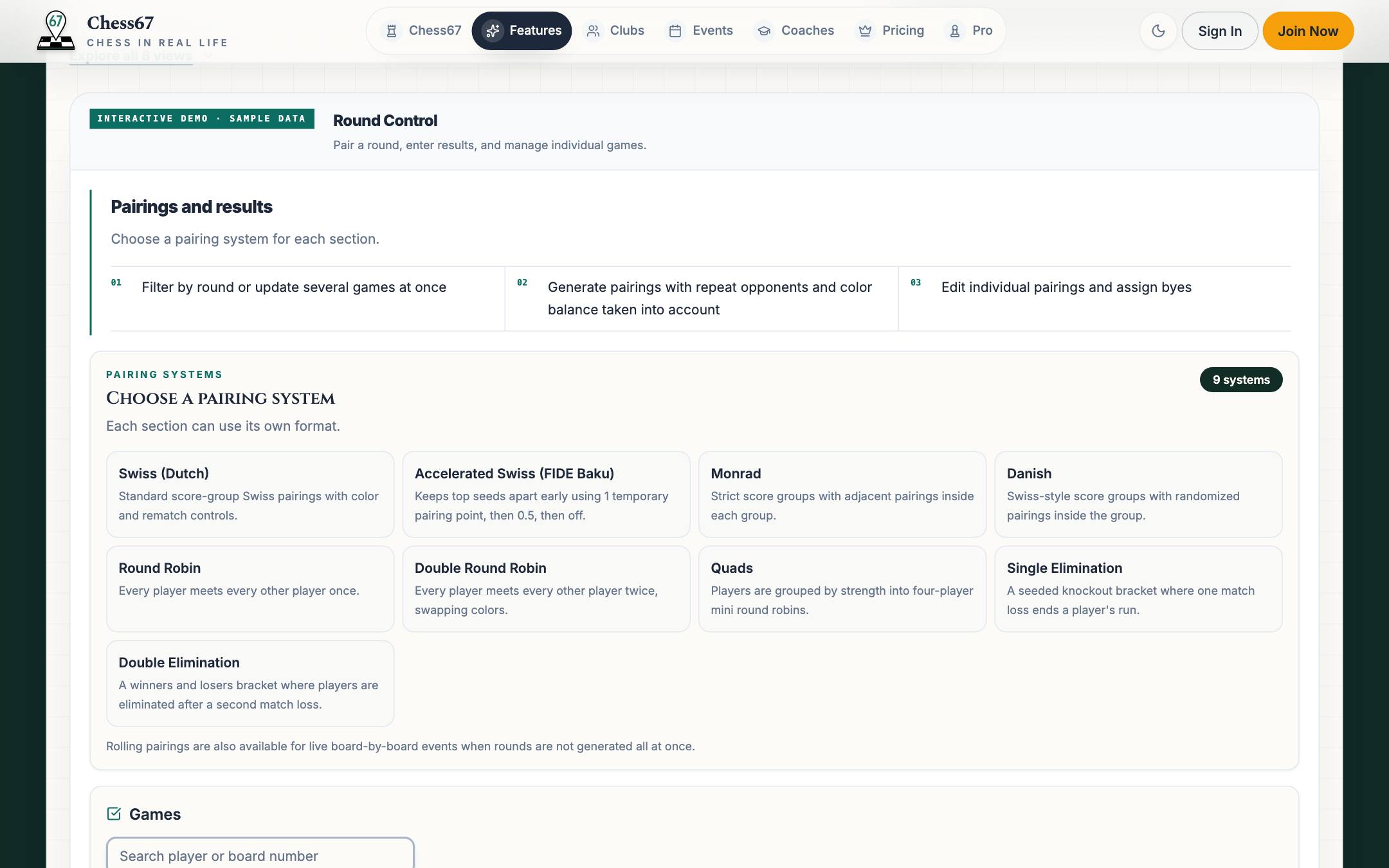
- Swiss (Dutch)Color balance and rematch controls
- Accelerated Swiss (FIDE Baku)Keeps top seeds apart early
- MonradAdjacent pairings inside strict score groups
- DanishRandomized opponents inside score groups
Structured complete fields
All-play-all
- Round RobinEvery player meets once
- Double Round RobinEvery player meets twice with reversed colors
- QuadsRating-sorted four-player mini round robins
Boards turn over independently
Continuous play
- Rolling pairingsCreate the next matchup whenever players are ready
Knockout competition
Elimination brackets
- Single EliminationOne loss ends a player's bracket run
- Double EliminationA second bracket gives players another chance
Watch how it works
Open a tournament's registration tools, find a club member, choose their section and attendance options, and decide how payment is handled.
Run every round
Generate pairings, enter results or use a player result kiosk, and publish standings. App users with notifications enabled can receive push alerts; eligible players can receive SMS.
Offline Mode requires Bishop or above. Prepare one device online, then pair rounds and enter results offline. Review and sync when reconnected. Registration, payments, rating lookups, and public updates need internet.
Watch how it works
Open the Live Dashboard, manage players, generate Swiss pairings, review byes and withdrawals, record results, and move between rounds.
Prepare report files
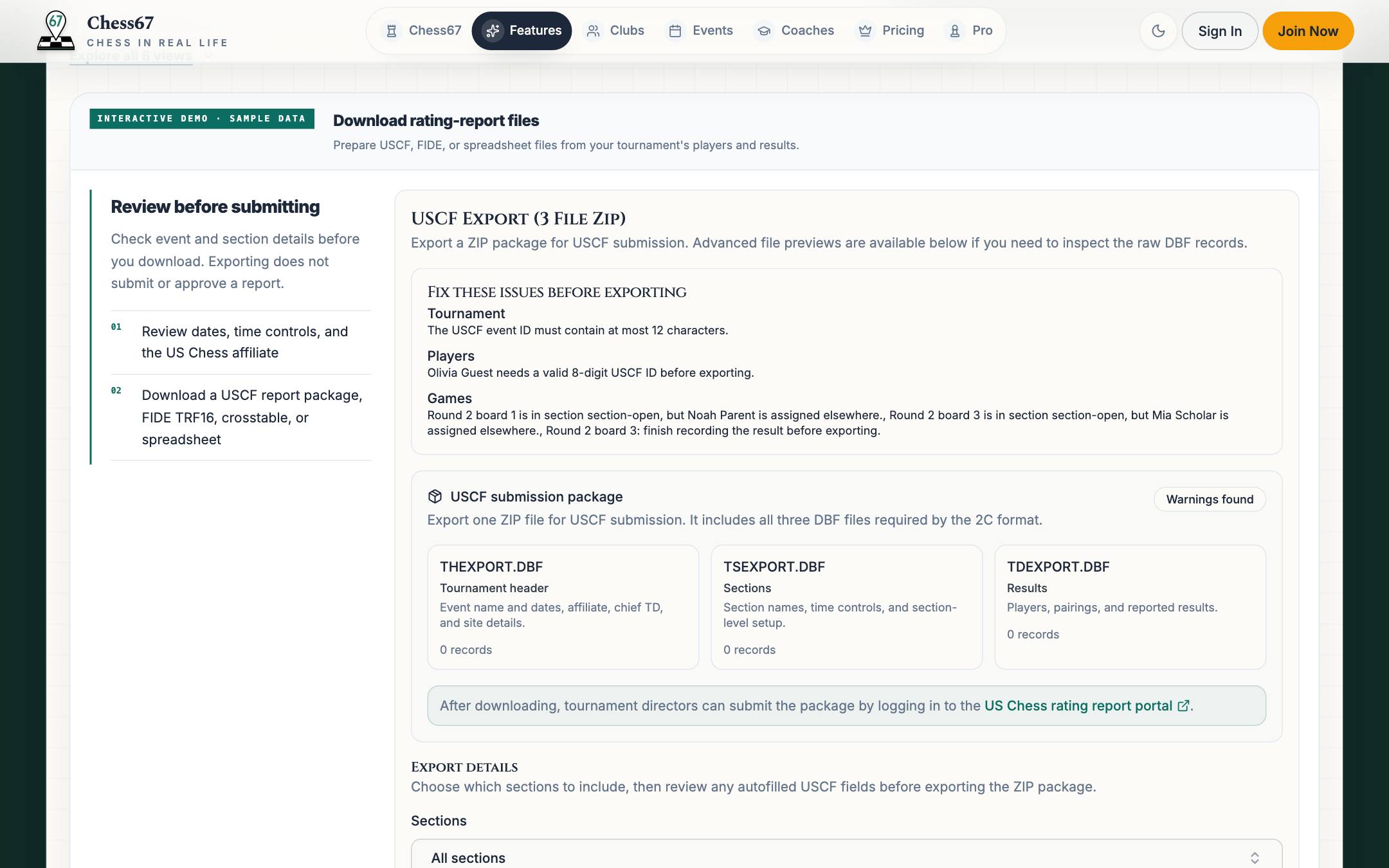
Run USCF checks on IDs, pairings, and byes, then download USCF, FIDE, or spreadsheet files for director review and submission.
Chess67 product tour
Try it yourself
Try the tournament tools
Try registration, pairings, standings, broadcasts, and exports with sample data.