Go to the right place
Before you start
Sign in with a profile that can manage events for your club. Subscribing adds activities to your club's schedule; the hosting club still manages the activity and its registrations.
Step by step
- Find the club whose activities you want to share. Open that club's Calendar and choose Subscribe to Club Calendar.
- Choose your club from the list and confirm the subscription. To add just one activity instead, open its event or tournament page and choose Add to My Club Calendar.
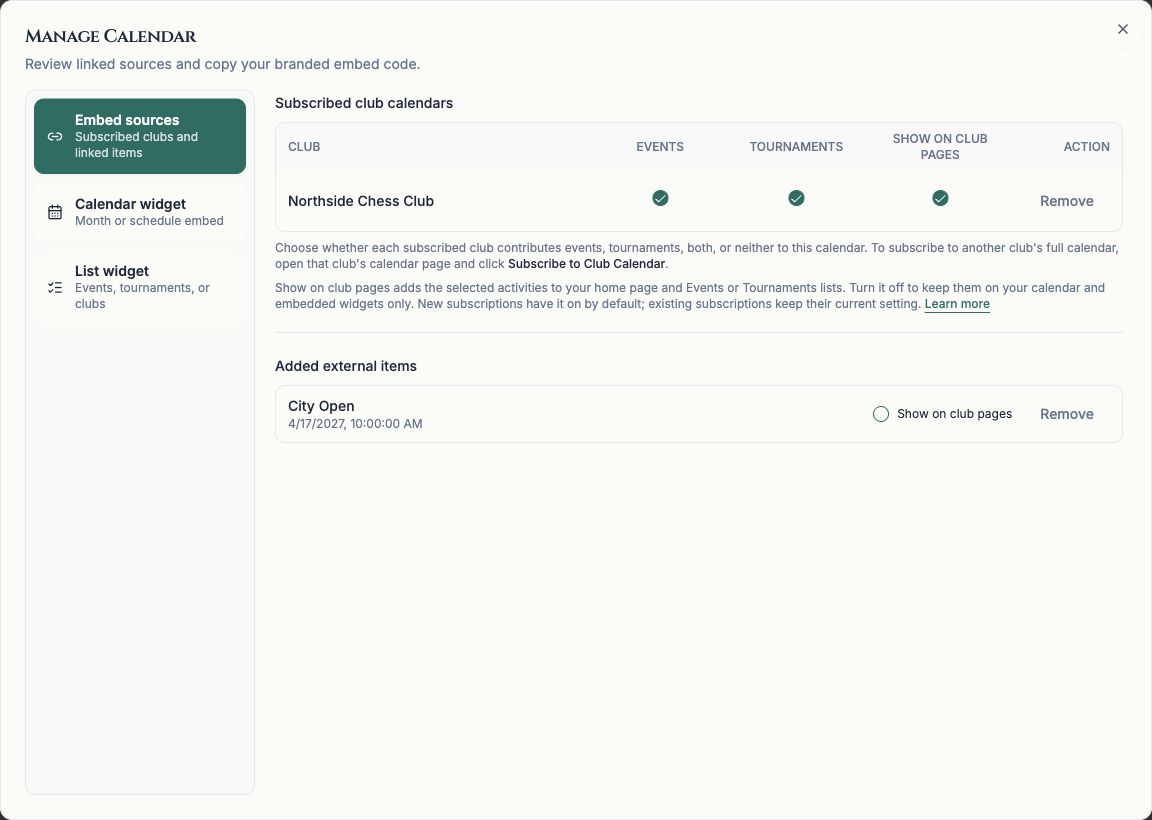
- Open your own club's Calendar, choose Manage Calendar, and select Embed sources (Sources on smaller screens).
- Under Subscribed club calendars, use Events and Tournaments to choose which kinds of activities to include. Each activity appears once, even if you also added it individually.
- Turn on Show on club pages to include the selected activities in your club's Events list, Tournaments list, and home page's upcoming sections. Turn it off to keep them on the calendar and embedded calendars and event lists only.
- For an activity under Added external items, use its own Show on club pages setting. If a full calendar subscription also includes that activity, it can still appear through that subscription.
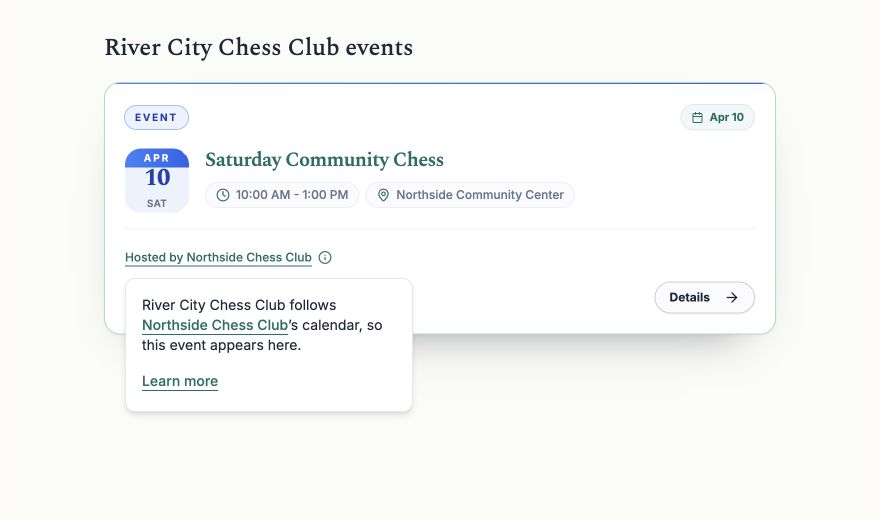
- Review your club's pages. Shared activities show Hosted by followed by the hosting club's name. Open that explanation to see why the activity appears here, or open the activity to see details and register with its host.
What it looks like
After you finish
Your club can share a wider schedule while making it clear which club hosts each event or tournament. Details and registration links lead to the original activity.
Show on club pages starts on for new subscriptions and newly added activities. Subscriptions and activities added before this option was introduced keep their previous calendar-only setting until you change it.
A full calendar subscription includes future activities from that club automatically. Adding one event or tournament shares only that activity.
Your club's home page shows upcoming activities. Past activities can appear in the Events or Tournaments lists. Turning off Show on club pages does not remove an activity from the calendar.
Subscribing does not give visitors access to private or restricted activities. The hosting club's visibility and registration rules still apply.